Background Remover
Remove image backgrounds and get a transparent PNG.
Processed on our serversFree online background remover
Upload a JPG, PNG or WebP photo and ClearCut's AI separates the subject from its background. You get a transparent PNG you can place on any colour, layout or design. Free to use, and no account needed.
Image is too large. Maximum file size is 5 MB.
This image is , which is larger than 5 MB. Compress it first, then come back here and upload the smaller image.
Background removal is temporarily unavailable. Please try again later.
Three free tools for everyday image jobs. No account needed.
Remove image backgrounds and get a transparent PNG.
Processed on our serversConvert JPG, PNG and WebP images directly in your browser.
Runs in your browserReduce image file size directly in your browser.
Runs in your browserThree steps, and there's nothing to install.
Drag a JPG, PNG or WebP file onto the upload area, or pick one from your device. Your browser checks the file type and size first, so unsupported files are caught straight away.
The image is uploaded to ClearCut's processing service. An AI model identifies the main subject and makes everything around it transparent.
The result appears next to your original so you can compare them. If it looks right, download it as a PNG with a transparent background.
An image background remover separates the main subject of a photo, such as a person, a product, a pet or a logo, from everything behind it. What's left is the subject on its own, saved with a transparent background so you can put it wherever you need it.
Doing this by hand means tracing around the subject with a pen or selection tool. That's slow, and it gets fiddly with hair, fur and soft edges. AI background removal does the tracing for you. A segmentation model looks at the whole image, predicts which pixels belong to the subject and which belong to the background, and turns the background transparent.
ClearCut is an online background remover, so it works in any modern browser on a computer, tablet or phone. Want to know more about how the technology works? Read our guide to AI background removal.
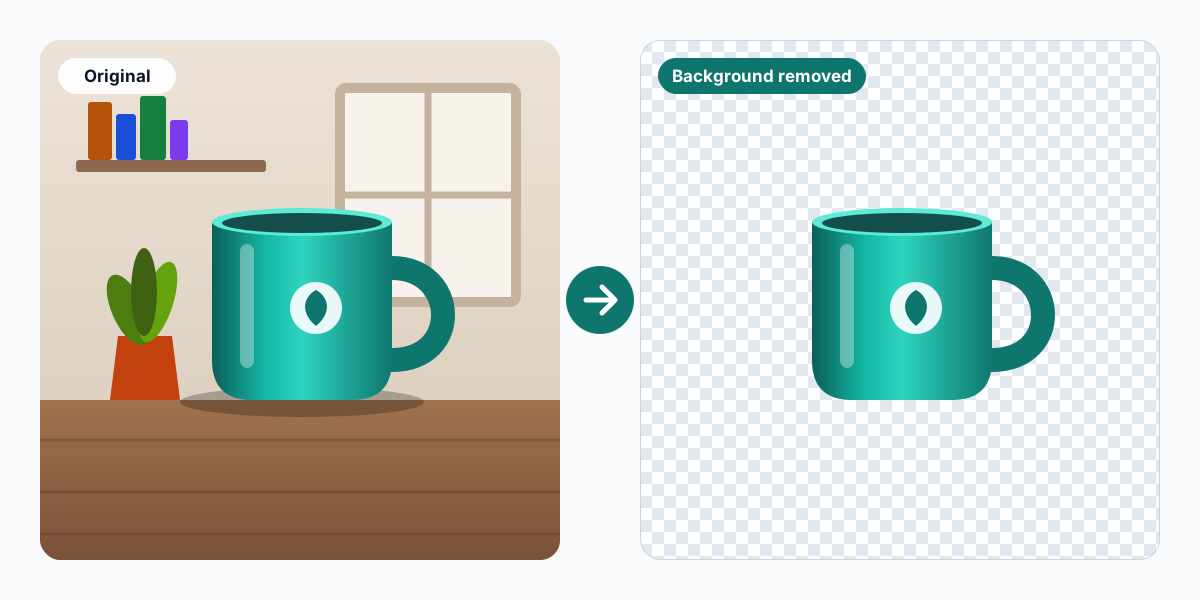
A busy or mismatched background pulls attention away from the thing you want people to look at. Once the background is gone, the same subject can be reused in lots of ways.
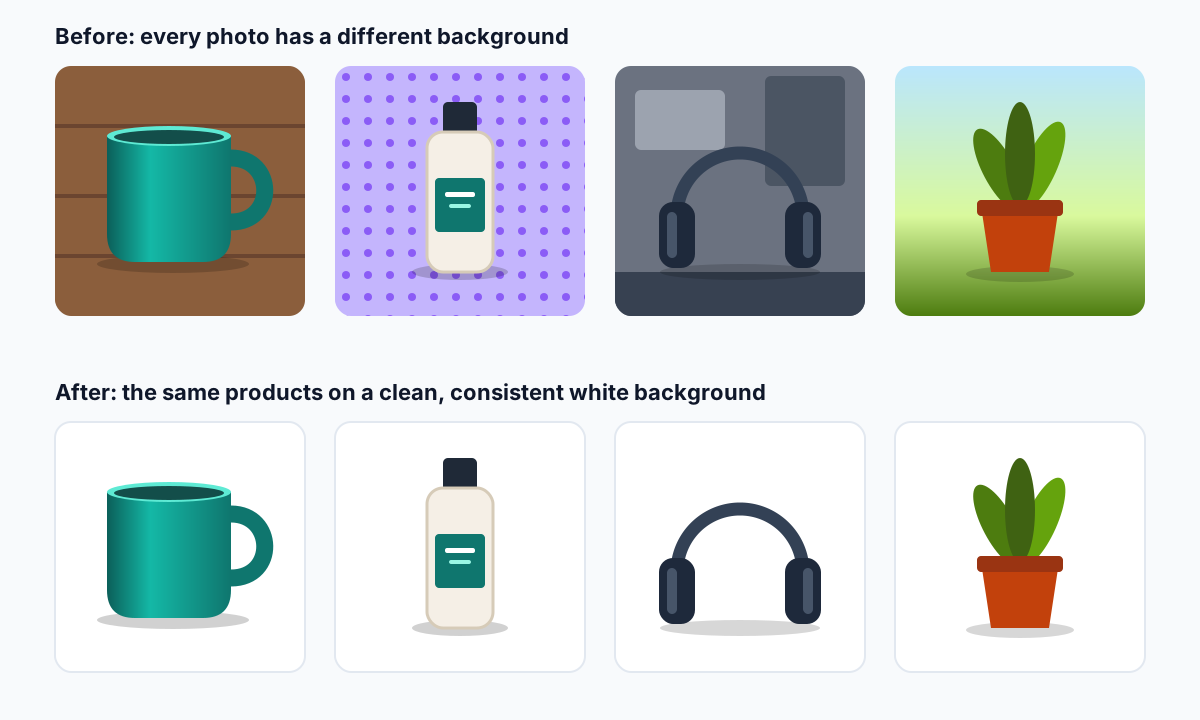
Put every product on the same clean background so your store looks consistent and shoppers focus on the item.
Many marketplaces expect a plain, usually white, background for the main product image.
Line products up on a uniform background for printed catalogs, price lists and product sheets.
Swap a cluttered room for a plain or colourful backdrop on LinkedIn, team pages or an online portfolio.
Layer a cut-out over text, colour or another photo for posts, stories and video thumbnails.
Use the same product image across banners, flyers, emails and landing pages without redoing it each time.
Drop images onto a slide without a white box around them, so they sit naturally on your template.
Make collages, stickers, invitations and print-on-demand designs from your own photos.
ClearCut works as a JPG, PNG and WebP background remover. Whichever format you upload, the result is saved as a PNG, because PNG can store transparency.
| Format | Upload | Notes |
|---|---|---|
| JPG / JPEG | Yes | The most common format for photos. JPG can't store transparency, so the result is a PNG. |
| PNG | Yes | Common for screenshots, graphics and logos. |
| WebP | Yes | A newer web format used by many websites and phones. |
| Result | PNG | Transparent background, ready to download. |
The maximum upload size is 5 MB per image. Other formats, such as HEIC, GIF, TIFF and SVG, aren't supported at the moment. If your phone saves photos as HEIC, export or convert them to JPG first.
Need a JPG, PNG or WebP version of an image? The Image Converter switches between them in your browser.
AI background removal is fast, but it can only work with what's in the photo. A few habits make a noticeable difference.
For a longer walkthrough, including how to fix edges afterwards, see how AI background removal works and how to get clean results.
Online shoppers can't pick a product up and look at it, so the photo does that job. Product image background removal helps in two ways. It takes away distractions, and it makes a whole catalog look like it was shot in the same studio, even if the photos came from different places.
A plain white background is the safe choice for most stores and marketplaces. Amazon, for example, asks for a pure white background on the main product image. Once a product is cut out, you can also place it on a light grey, a brand colour or a seasonal backdrop without reshooting it.
Our product photo editing tips for online stores cover colour accuracy, cropping and lighting. If you're unsure which backdrop to use, read how to choose a background colour.
A lot of social media graphics are built from cut-outs: a person next to a headline on a YouTube thumbnail, a product floating over a coloured background in a story, a team photo placed on a branded template. Photo background removal gives you those building blocks without a design program.
Each platform crops and sizes images differently, so it helps to know the target shape before you design. A square post, a 4:5 portrait post and a 9:16 story each leave different amounts of space around the subject. Our social media image size reference lists the common dimensions, and the mobile photo editing workflow covers editing on your phone.
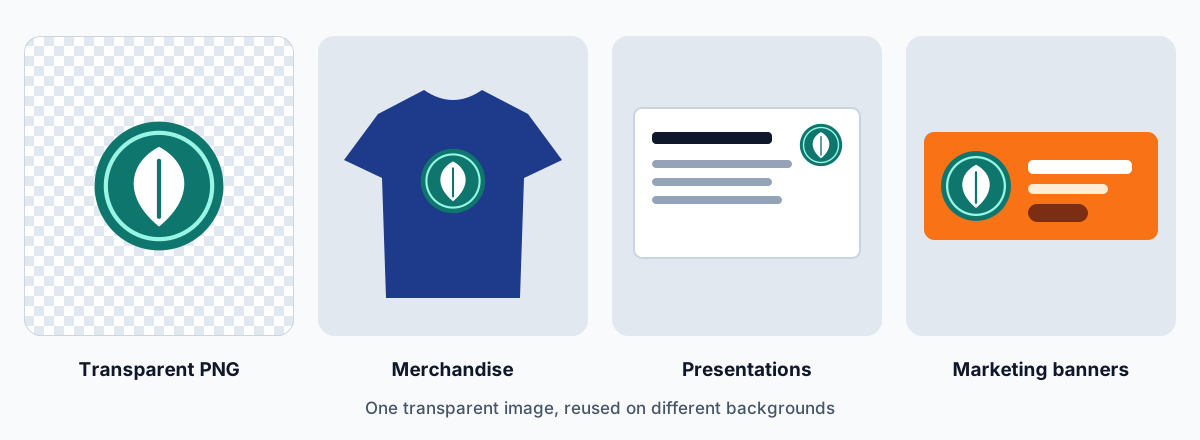
Every pixel in a digital image has a colour. Some formats also store a transparency value for each pixel, known as the alpha channel. PNG is one of them. Where a pixel is fully transparent, whatever sits behind the image shows through.
That's why a cut-out saved as a PNG can sit on a coloured website header, a T-shirt mock-up or a slide without a white rectangle around it. Editing apps usually show transparent areas as a grey and white checkerboard. The checkerboard isn't part of the image; it just shows you where nothing is.
JPG files can't store transparency, which is why ClearCut always gives you a PNG. PNGs of photos can be larger than JPGs, so if you place the cut-out on a solid background and don't need transparency any more, saving the final design as a JPG is fine. For a website, the Image Compressor can save a transparent PNG as a smaller WebP that keeps its transparency. For ideas on what to do with your cut-outs, see ten practical ways to use transparent images.
Can't find what you're looking for? Send us a message.
It's a tool that separates the subject of a photo from its background and gives you the subject on its own, usually as a PNG with a transparent background. ClearCut uses AI to do this automatically, so you don't have to trace around the subject yourself.
Upload the image with the tool at the top of this page. ClearCut uploads it for processing, removes the background and shows the result next to your original. If you're happy with it, click Download PNG.
You can upload JPG (JPEG), PNG and WebP images up to 5 MB each. The result is always a PNG, because PNG supports transparency.
Yes. JPG photos are supported. The JPG format itself can't store transparency, so your result is saved as a PNG.
Yes. PNG images up to 5 MB are supported, and the result is a PNG too.
Yes. Product photos are one of the most common uses. For the cleanest cut-outs, photograph the product in focus against a plain background that contrasts with it. Our product photo editing tips go into more detail.
Yes, people are a typical subject. You'll get the cleanest results when the person is sharp and clearly separated from what's behind them. Fine, flyaway hair is the hardest part for any automatic tool, so check the edges before you use the image.
Removing a background doesn't change who owns an image or the licence it was published under. If you took the photo yourself, or you have the rights to use it commercially, you can use the edited version in the same way. If the image belongs to someone else, you need their permission. Our Disclaimer explains this in more detail.
Use a sharp photo where the whole subject is in the frame. Make sure the subject contrasts with its background, and avoid strong backlight or deep shadows. Crop out large empty areas if you like, but leave a little space around the subject so its edges aren't cut off.
The AI has to decide where the subject ends and the background begins. That's harder when they're similar in colour, when the background is busy, when the subject is blurred, or when it has very fine or see-through parts such as hair, fur, glass or lace. Small, low-resolution images also give the model less detail to work with.
First, your browser checks that the file is a JPG, PNG or WebP image under 5 MB. The image is then uploaded to ClearCut's processing service, where the background is removed. The result is sent back to your browser and shown next to your original, ready to download.
Yes. Background removal runs on our servers, not inside your browser, so your image has to be uploaded. Please only upload images you're comfortable sending to an online service.
Uploaded images are sent to ClearCut's processing service, which runs on Amazon Web Services (AWS), and are used to create your result. We haven't published a retention period yet, so we don't promise a specific deletion time. Our Privacy Policy explains how uploads are handled.
It depends mostly on the size of the image and the speed of your internet connection, because the image has to be uploaded and the result downloaded. Smaller files are generally quicker.
Yes. The Image Converter changes images between JPG, PNG and WebP, and the Image Compressor makes image files smaller. Unlike the background remover, both of them work entirely in your browser, so the images you use with them aren't uploaded.
Yes. ClearCut is free to use, with no registration or payment required.
Practical advice on editing product photos, choosing backgrounds and working with transparent images.
How AI background removers decide what to keep, which photos give clean cut-outs, and how to check and fix the edges.
Five editing habits for clear, accurate product photos, plus how to keep a whole catalog consistent.
What a transparent PNG is and ten practical ways to use cut-out images, from product listings to print-on-demand.